Login to Customer Portal
 Contact
 Search
How Tacton’s 3D Product Configurator Solves These Manufacturing Sales Challenges
A 3D product configurator gives manufacturers a faster, more accurate, and more intuitive way to sell complex products by dynamically visualizing every configuration. Learn how Tacton's visualization capabilities embedded in CPQ accelerate your sales.


Highly configurable products are difficult to communicate, whether they’re being communicated from engineering to sales or from sales to the buyer. Buyers want convenience and ample information before they speak to sales, but more information upfront also makes the experience more complicated. Visual configurators and 3D product configurators create an intuitive experience, so that buyers can be sure they’re making the right decision despite your product’s high configurability.
Visual configuration in Tacton CPQ (configure, price, quote) makes it easier to remove friction in the sales process and differentiate your buyer experience from your competitors. Learn how to tackle your common sales challenges with CPQ visualization tools.
What Is Visual Configuration in Manufacturing?
Visual configuration is an interactive product tool that is often part of the configure, price, quote process and software. Sometimes called a 3D product viewer or online product builder, it uses technology that allows sales and end-buyers to see the product they are customizing in real-time, including the variants, accessories, and even colors they choose.
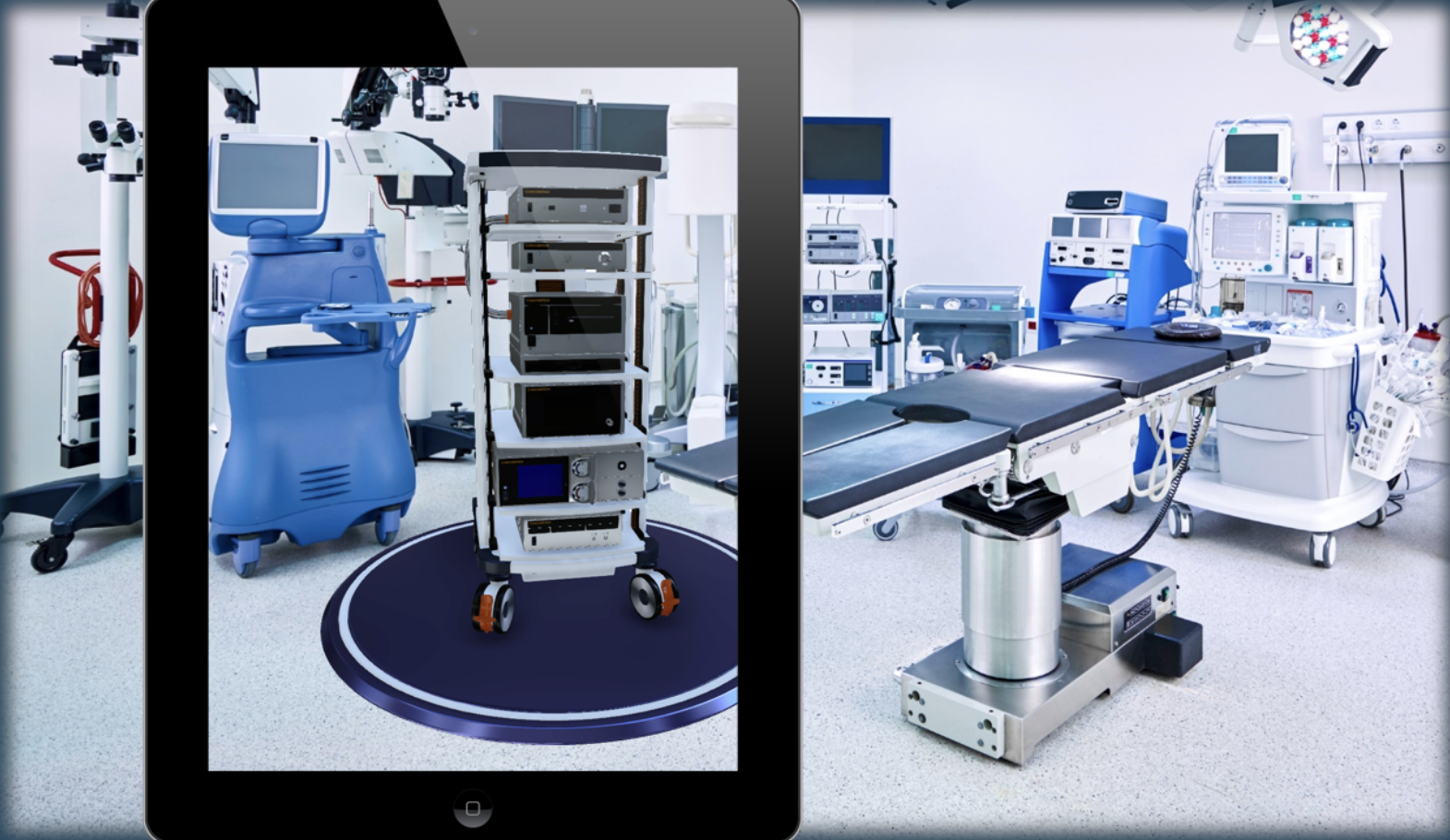
Tacton’s visualization and 3D product configurator is natively integrated within Tacton CPQ’s configuration engine, unlike third-party tools that require separate connections. The visualization tool uses augmented reality, scaling models placed in real environments via a QR code or mobile link. The AR changes dynamically, in real time as the configuration changes.
Buyers can be sure they’re creating the right product with the right fit in their operational workspace, and they can manipulate the product (e.g., rotate, zoom, etc.) for more visual context.

What is layout planning visualization?
For space planning scenarios, visual configuration can also support layout planning, which allows users to upload floor plans, place multiple components in a space, and validate fit without involving engineering. Tacton’s layout planning capabilities, for example, are especially helpful for manufacturers selling construction or building materials or industrial equipment for factories, where procurement requires strong visualization.
How 3D product configurators work
A 3D configurator isn’t a standalone visualization tool. It renders a visual representation based on the same product logic, constraints, and configuration rules in the CPQ system.
The system pulls parametric values and updates the 3D model using pre-prepared visual assets. Visualization supports simple, pre-defined parametric changes (such as length or height) when modeled in advance. CAD assets are used initially and converted to lightweight FBX models for Tacton ahead of time, and the visualization updates from these prepared assets.
When a user selects an option, the CPQ’s constraint engine validates the choice and sends back:
- Allowed options
- Blocked/invalid options
- Updated price
- Updated BOM or configuration state
Static images generated from predefined 3D camera angles can be automatically included in the proposal.
It’s important to remember that visual configuration supports guided, rules-based visualization for quoting and sales, but it’s not a replacement for CAD. It doesn’t provide the depth of engineering-level precision or fully dynamic parametric modeling.
The manufacturing challenges that visual configuration helps solve
Visual product configurators reduce sales friction and streamline the buyer’s decision making by solving for these common bottlenecks:
Buyers don’t understand their options
Many B2B buyers today are not technical buyers. They need to see the solution in order to understand what it looks like, how it fits, and whether it’s compliant in their space. Without seeing it, they may delay their choice or create scope creep as changes and add-ons are requested post-quote.
A 2D or 3D product viewer removes ambiguity. It builds confidence in your buyer and empowers them with more information without overwhelming them.
Sales struggles to communicate complex variants
Not all sales reps are technical experts, either. It’s much harder to effectively sell capital equipment when relying on PDFs, static images, or CAD screenshots that may be difficult to understand. Work happens in motion, and being able to use 3D or augmented reality in your onsite meetings or sales conversations makes you look like an expert.
Engineering is pulled into every quote early in the sales cycle
Selling highly configurable products means that engineering is tightly involved, especially in custom, engineer-to-order products. That means engineers spend a large portion of their hours supporting sales with feasibility checks. Visual configuration that’s embedded in CPQ ensures only buildable configurations are visualized, and buyers, sellers, and engineers are not navigating unbuildable solutions. Instead, engineering can focus on CAD and design work for special projects and new models.
Quotes are slow and error-prone
The longer it takes for your team to provide a quote, the more opportunity a faster competitor has to win their business. Between lack of accuracy and long delays while sales and engineering communicate, a buyer can become uninterested.
Visual configuration eliminates interpretation errors between sales and engineering as well. Engineering often has to interpret what the customer wanted.
Visual configurators eliminate this by providing:
- A shared, visual “source of truth”
- Dimensions and components
- Automatically generated, validated BOMs and configuration data alongside the CPQ
Buyers are not engaged
Buyers want an easy, Amazon-like experience when they buy. Visual configuration is a valuable feature of an e-commerce or online sales experience, presenting products in a similar way that B2C buyers explore products online.
3D product configurators embedded in CPQ also give you the ability to take screenshots of visualizations and export them into engaging, visual proposals that make your business stand out and empower your customers with the confidence to buy.
Sales and approvals require multiple stakeholders
Visualization helps align diverse stakeholders early in the buying process.
Decision-making and sales cycles becomes faster when all stakeholders can see the same configured product rather than relying on static descriptions or assumptions.
This is especially valuable when procurement requires input from operations, engineering, finance, facilities, safety teams, surgeons or medical staff in medtech equipment, dealer networks, or IT.
Customization comes at the cost of efficiency
Manufacturers want to sell customizable products without becoming engineer-to-order on every deal. With modular product models, you can standardize configurable options, present them visually, and keep customization and variability under control. This supports mass customization at scale.
Sales onboarding takes too much time
Visual configuration equips your sales reps, dealer reps, and new hires, so they can provide more information with less knowledge. 3D visualization, for example, dramatically reduces onboarding time, as valid configurations are automated, and ensures quoting consistency.
Dealers and partners don’t have strong customer-facing tools
Dealers are often stuck with outdated tools that don’t highlight your brand the way you need. A customer-facing product demo with interactive visuals is a major differentiator for your sales partners. Tacton’s visual configurator works in dealer portals and self-service omnichannel sales, so your distribution network can streamline sales of your products.
How to implement visual configuration: what manufacturers need to know
- Prepare CAD data: Ensure clean, simplified visual assets and CAD models for the products you want to visualize. Tacton reuses your existing CAD, rather than requiring rebuilds.
- Connect CAD to CPQ rules: Link CAD parameters to your product logic so the 3D model always reflects a valid configuration. Tacton keeps everything aligned in one product model.
- Convert and optimize 3D assets: CAD files are transformed into lightweight, web-friendly geometry for fast loading and real-time updates.
- Configure the visual experience: Define how the model behaves during configuration, such as what updates dynamically, what moves, and what customers can interact with.
- Deploy in the cloud: Tacton’s SaaS platform manages hosting, scaling, and asset storage automatically, with optional PLM/PDM integration to keep models up to date.
Visual product configuration is becoming a standard
With automated drawings, error-free quotes, and a buying experience that sets you apart, Tacton helps you accelerate sales while removing friction across engineering and operations. If you’re ready to reduce rework, protect margins, and bring your complex products to life for your buyers, learn more about our buyer engagement capabilities.

![Unlock Your Data with CPQ Analytics Software [Tech with Tacton]](/wp-content/uploads/2023/06/iStock-1098410490.jpg)